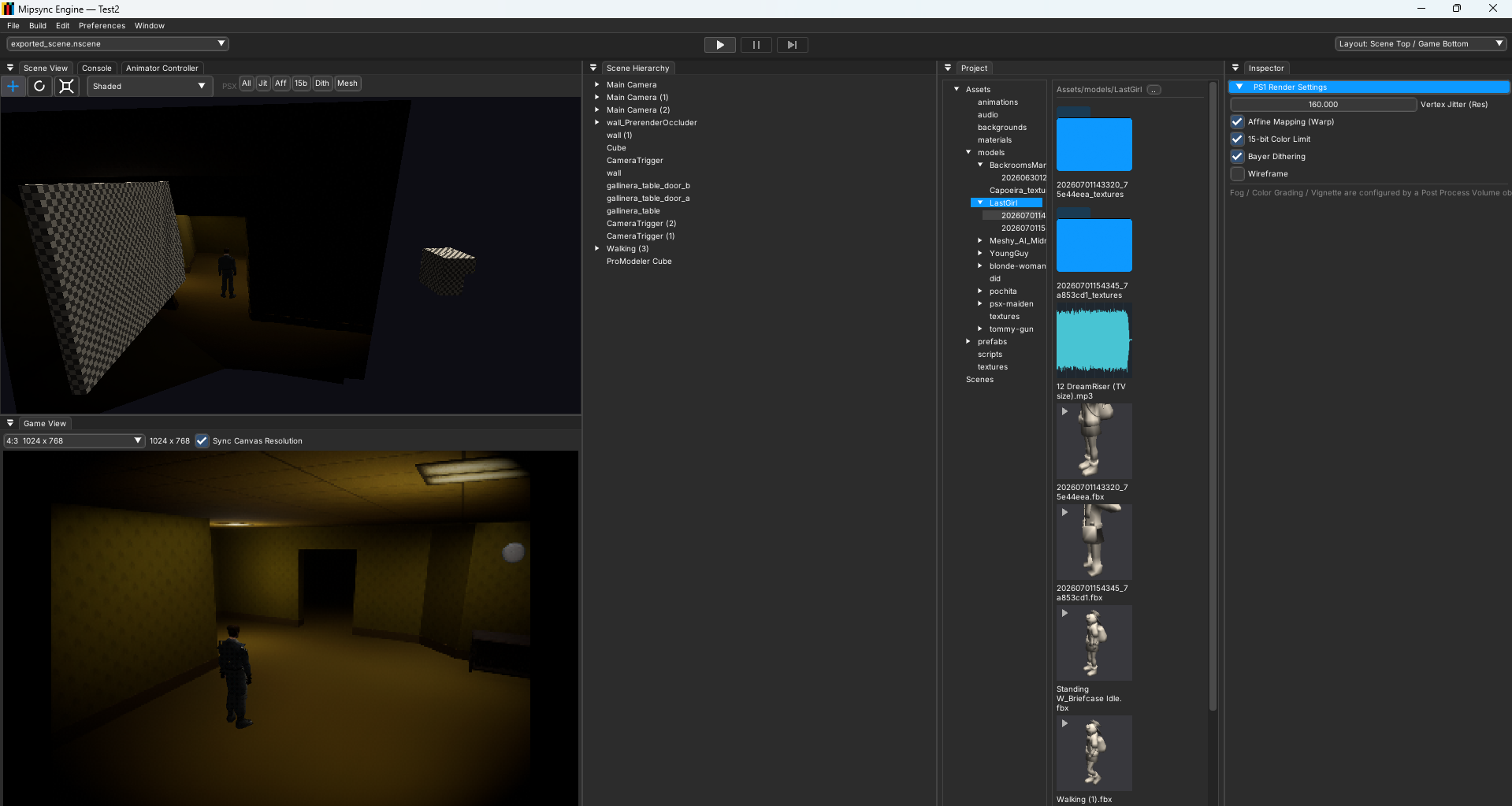
See the whole project at once.
Build scenes with the Scene View, Game View, Hierarchy, Project browser and Inspector together in one focused workspace.
 Mipsync Engine
A modern, all-in-one editor for creating games that run on the original PlayStation.
Build scenes with the Scene View, Game View, Hierarchy, Project browser and Inspector together in one focused workspace.
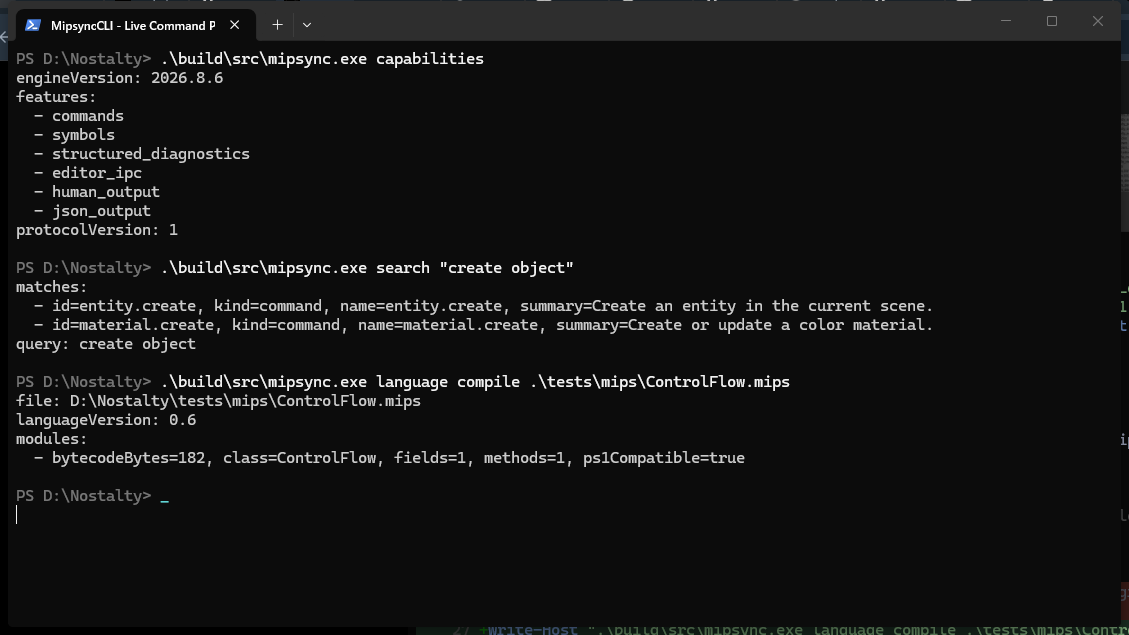
Use MipsyncCLI while the project stays open. Scene changes appear live, commands return typed JSON, and agents discover the engine through search and describe.
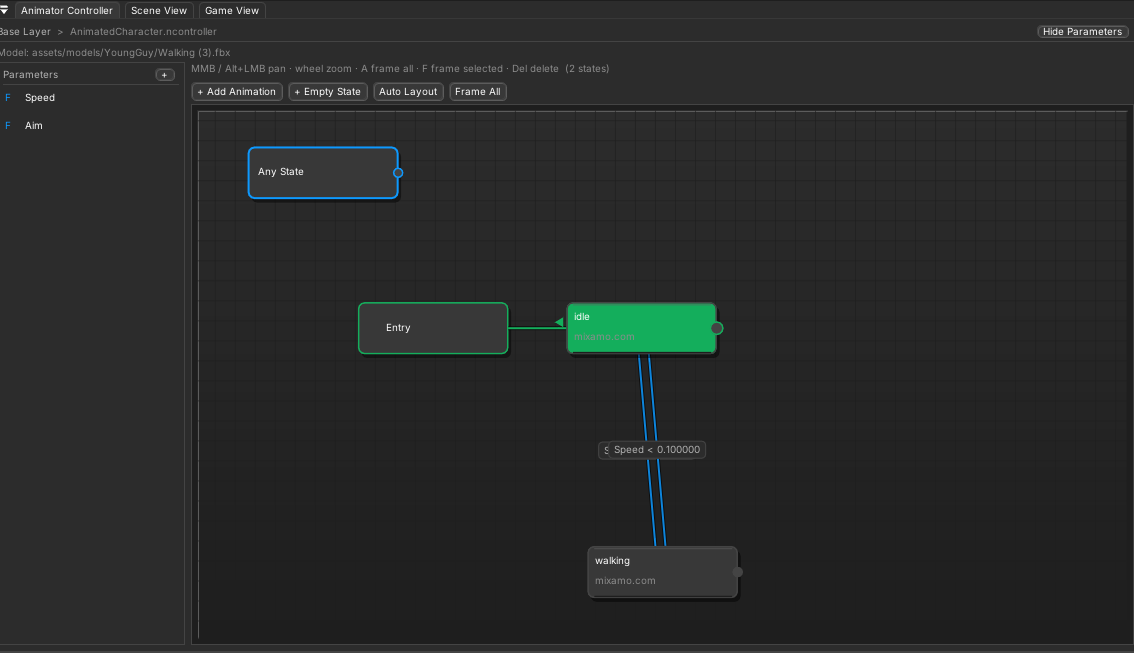
Connect states, tune transitions and drive character motion through a readable Animator Controller graph.
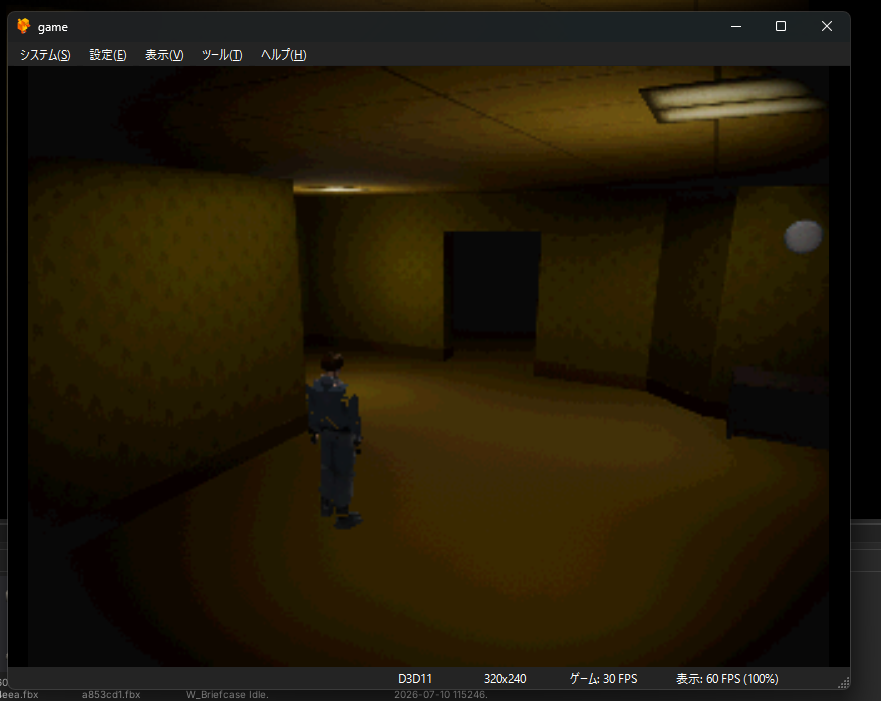
Run the exported project in a PlayStation environment and compare the result directly with the editor view.
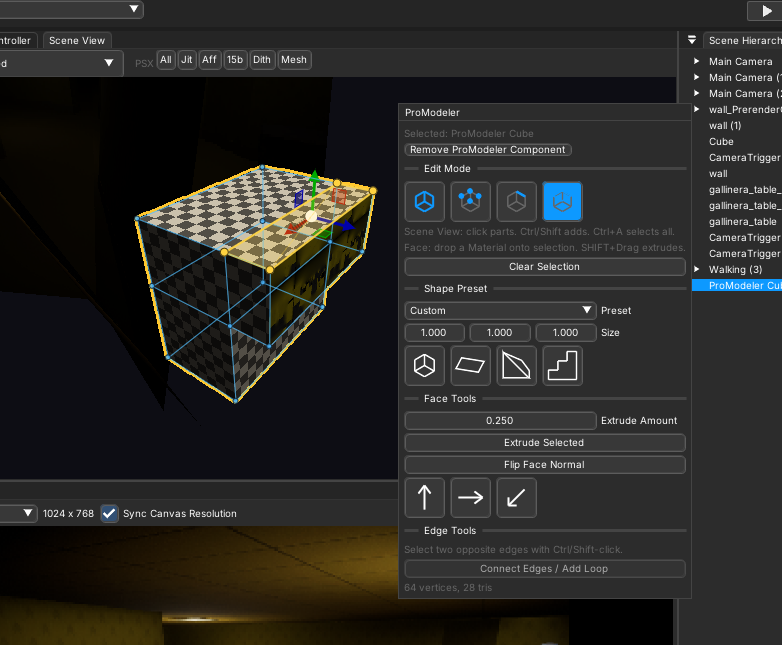
Create and refine simple level geometry beside the world it belongs to, then keep building without changing tools.
Mipsync keeps the best parts of modern game development while respecting the limits of the target hardware.
Hierarchy, Inspector, Scene View, Game View, prefabs, materials and drag-and-drop asset fields.
Animation clips, Animator Controllers, Canvas UI, images, text, buttons and controller navigation.
Transform, Input, Animator, AudioSource, Scene, Save, arrays, coroutines and IDE diagnostics.
PS1-aware model, texture, material, audio and scene conversion with disc-image output.
Install Mipsync Hub, create a project and build for the original PlayStation.